- Get Started
- Video Tutorials
- Knowledge Base
- FAQs & Troubleshooting
How to Connect SpediamoPro with 4Seller?
Updated on 20 Oct,2026Copy Link
4Seller support authorize SpediamoPro, which can help seller fulfill orders easily and conveniently.

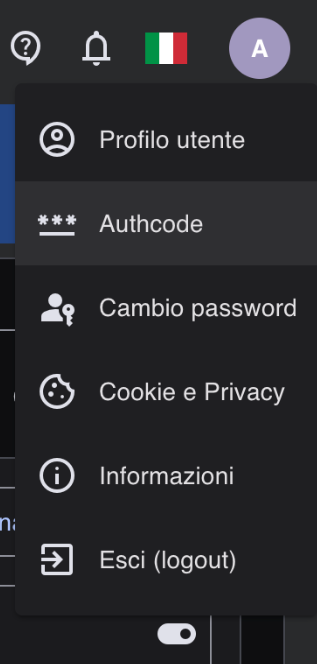
Step 1: Get the Authcode

Log in to your SpediamoPro account, go to the user profile page, select Authcode and generate the code to get your Authcode.


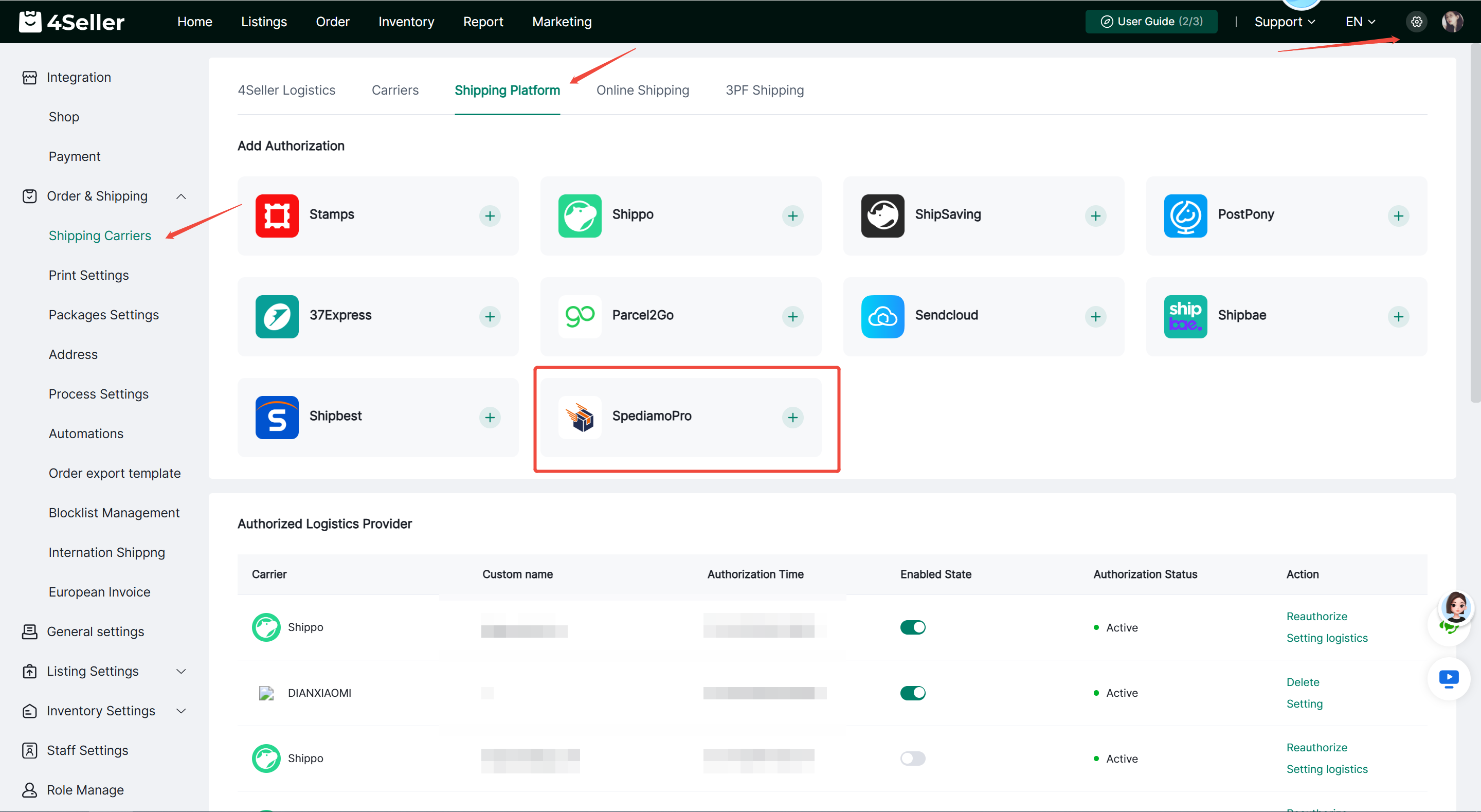
Step 2: Setting--Order & Shipping --Shipping Carriers--Shipping Platform--SpediamoPro


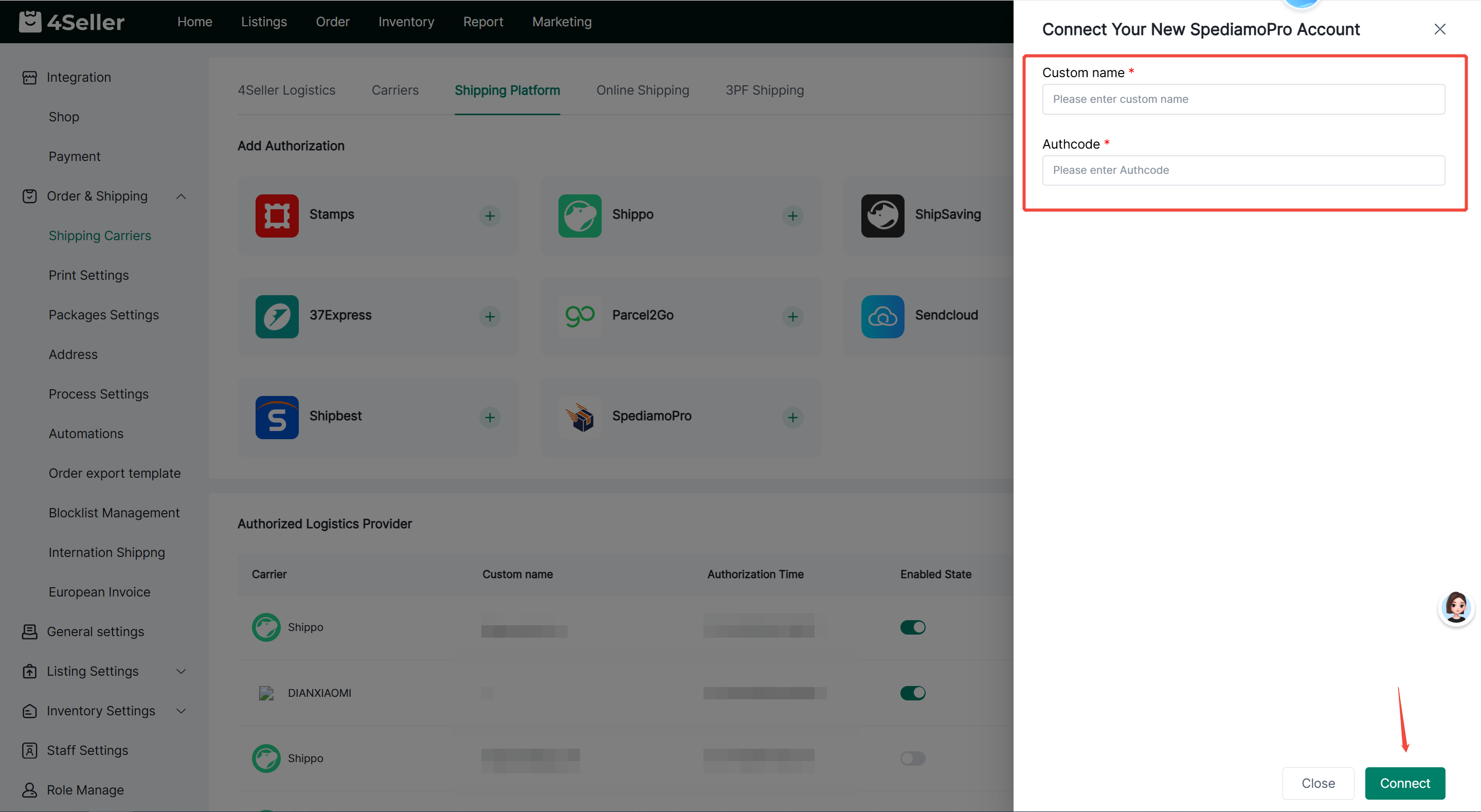
Fill in the custom name and Authcode, then click Connect.


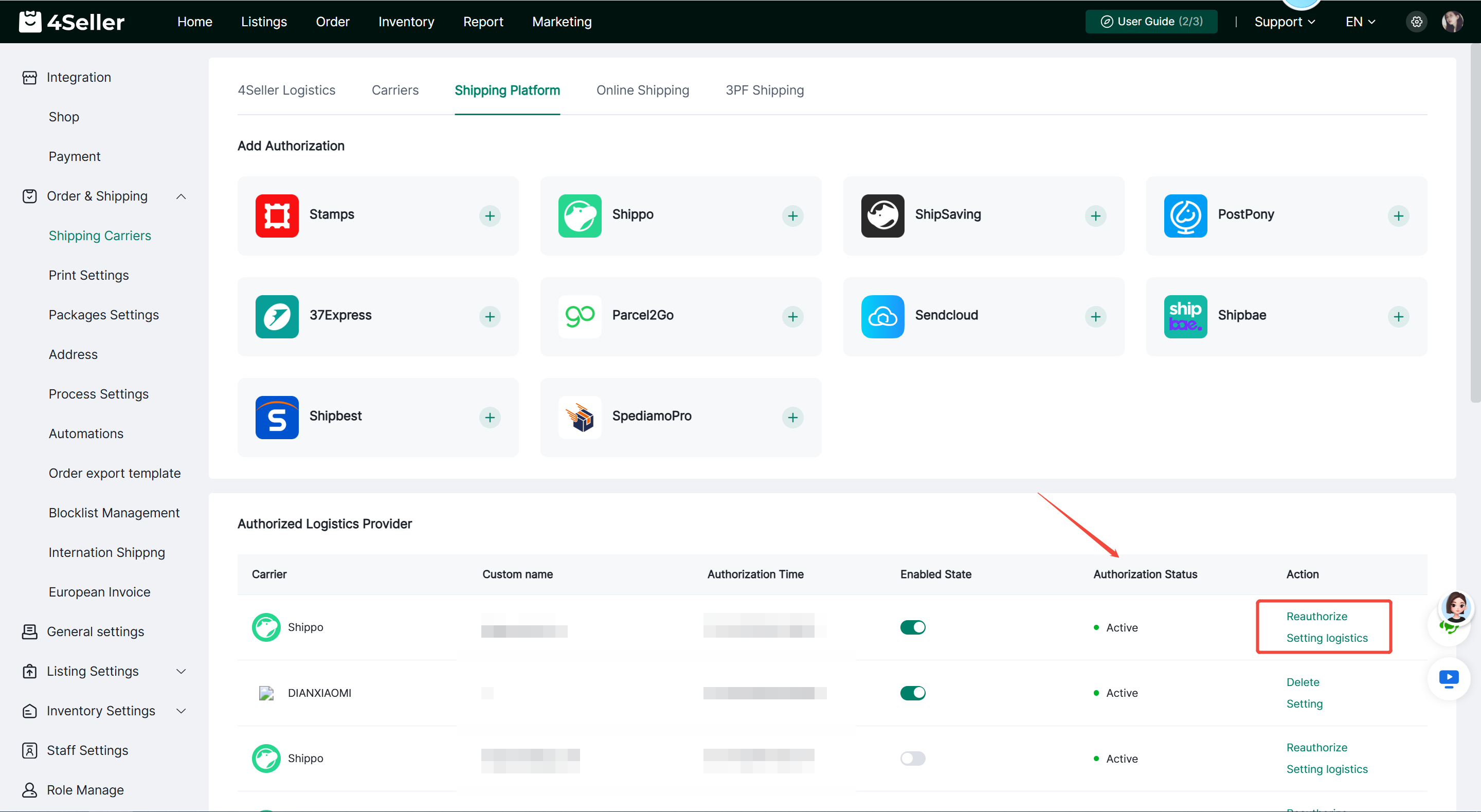
Step 3: After successful authorization, it will appear under Authorized Logistics Providers. You can check the authorization status. If it shows as inactive, click Reauthorize. You can also configure the logistics channel.


If you have any other questions or suggestions, feel free to contact our customer support team at support@4seller.com.


Back to top